Every time a card is tapped, swiped, or entered online, a stream of raw transaction data is generated behind the scenes. Banks, payment processors, and fintechs all receive this data - yet very few of them can make it immediately useful.
This article explains what transaction data is, where it comes from, and why it's a starting point for building any payment product that genuinely serves users.
Where transaction data comes from
Transaction data does not have a single source. It flows from several parts of the payments ecosystem, and each source delivers it in a slightly different format with a different level of detail.
Card networks (Visa and Mastercard) sit at the centre of most consumer payment flows, routing authorisation messages between acquiring and issuing banks while passing along a standardised set of identifiers and metadata.
Want to know more? Read our compliance guide for Visa and Mastercard.
Payment processors and gateways capture transaction records at the point of acceptance. Their data tends to be richer in terminal-level detail but varies in structure depending on the acquirer, country, and terminal configuration.
Acquiring banks are responsible for assigning identifiers like the Merchant ID. Their records include settlement data alongside authorisation data, meaning the same transaction can appear differently at different stages of the clearing cycle.
Open banking providers offer a fourth path. Through AISP licences, banks and fintechs can access transaction data from other institutions (often in different formats and with certain fields missing), making enrichment both more important and more complex.
The practical consequence is that the same underlying payment event may look different depending on which source produced the record. Inconsistency is there right from the start.
What is transaction data?
Transaction data is the raw, machine-generated output of a payment system - the record is created when a payment is initiated and carried through the settlement process. It includes card transactions - whether debit, credit, or prepaid - bank transfers between accounts, and increasingly, open banking data flowing through regulated data-sharing channels. It is often referred to interchangeably as payment data, though the two terms can carry slightly different meanings depending on context.
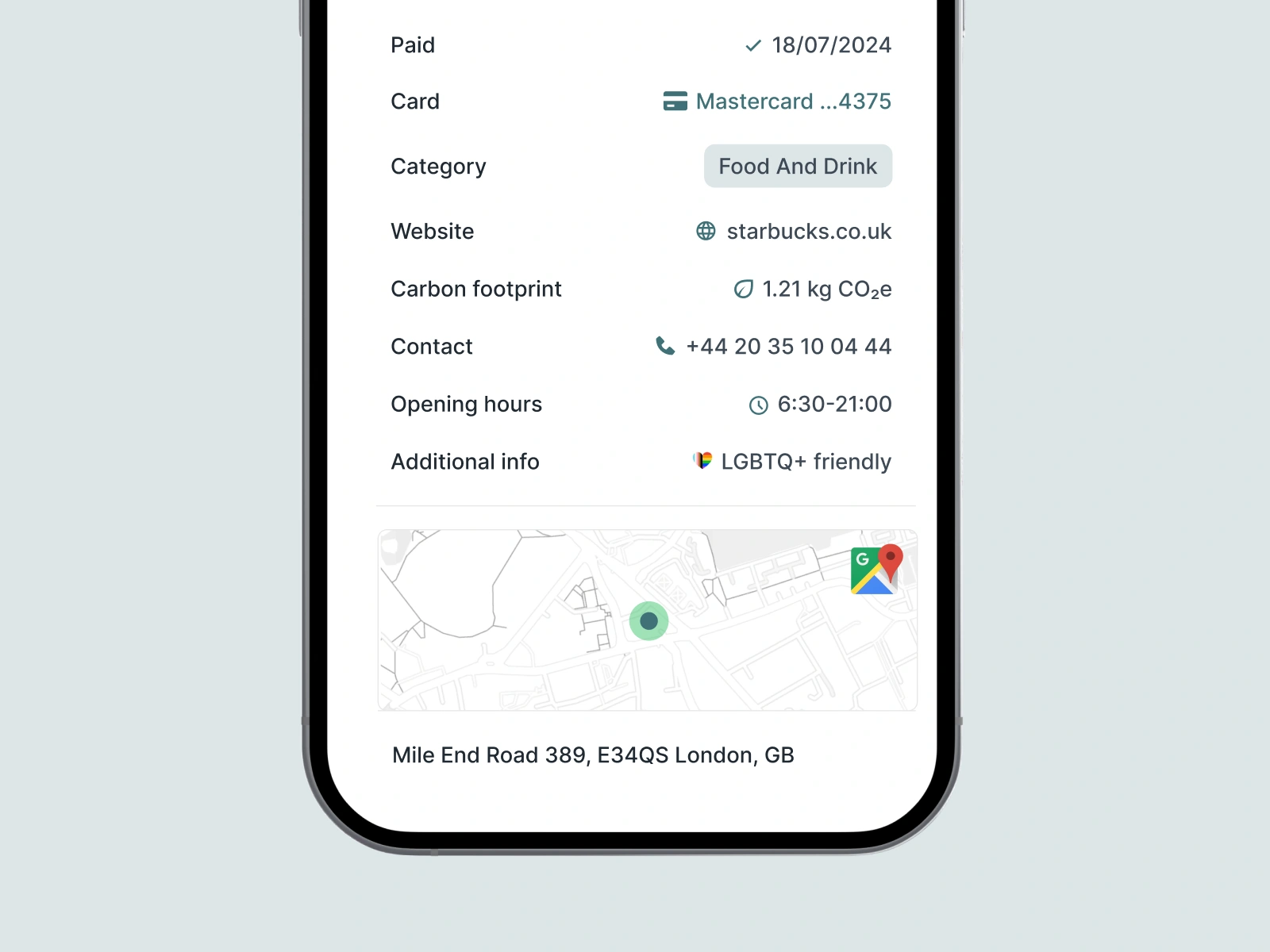
The problem is, it rarely answers the question a user asks when they open their banking app: "What did I spend this on, and where?"
What data is included?
When a bank or fintech receives transaction data from a card network, it typically includes a small set of standardised fields. Let's use a real-world example - a Tesco supermarket purchase in Prague. The raw data a bank actually receives might look like this:
- PosID – 832216
- MerchantID – 180520062
- Descriptor – TESCO PRAHA EDEN
- MCC – 5411
- City – PRAHA
- Country - CZ
That is broadly it. No logo. No precise street address. No confirmed category. No URL. Just a terminal number, an account identifier, a free-text name, a four-digit code, and a rough location. This is the raw material that banks and fintechs must work with. Now let's go deeper.
Key fields explained
What is a POS ID?
A POS ID (Point of Sale identifier) is the unique identifier of a specific payment terminal within a shop - each checkout lane has its own. Useful for reconciliation and fraud detection at the acquiring level, but not for identifying where a user shopped.
What is a Merchant ID?
A Merchant ID is a unique identifier assigned to a merchant by the acquiring bank when approved to accept card payments - either a direct MID for fully underwritten businesses, or a sub-MID under a payment aggregator. The problem is that MIDs are not stable: a retailer like Tesco holds multiple MIDs across different acquiring relationships and countries, and terminal migrations can produce false matches or missed connections.
What is an MCC Code?
An MCC (Merchant Category Code) is a four-digit number describing a merchant's primary business type, specified by the ISO 18245 standard and originally developed for tax reporting. It is assigned when a merchant sets up a payment terminal - Tesco carries MCC 5411 (groceries), a petrol station 5541. MCCs determine interchange fees, flag high-risk merchants, and trigger card rewards. The problem is, they are frequently wrong, outdated, or too broad, and there is no universal standard.
Learn about what are MCC codes and why you need them for reliable categorisation.
What is a Payment Descriptor?
The descriptor is the free-text merchant name in the transaction record, set during terminal configuration. The same Tesco store may appear as "TESCO PRAHA EDEN", "TESCO STORES CZ", or "TESCO SUPERSTORE" depending on the acquirer, terminal firmware, and merchant onboarding data. For large chains, it often contains store numbers or abbreviated names.
What is City and Country?
City and country are the broadest location fields in raw transaction data, passed by the card network as part of the authorisation message and among the more reliably populated fields in the payload. Their usefulness is limited - a city may contain dozens of branches of the same merchant, and country alone adds nothing to merchant identification. Both are most valuable as supporting signals for shop matching during enrichment, not as standalone identifiers.

Why transaction data breaks
Transaction data was engineered for payment processing, not for user experience. The fields it carries - POS ID, Merchant ID, MCC, descriptor - are sufficient to authorise, route, and settle a payment. They were never intended for UX, so the result is apparent:
The same merchant appears as many different entities. A supermarket chain with stores across a country may have dozens of Merchant IDs (one per acquiring relationship or region), hundreds of POS IDs (one per terminal), and multiple descriptor variants. From a raw data perspective, these all look like different merchants.
Categories are wrong or too broad. An MCC of 5999 ("Miscellaneous and Speciality Retail") tells you almost nothing. Even a more specific code like 5411 (Groceries) does not distinguish between a corner convenience store and a full supermarket. And because MCCs can be mis-assigned and rarely updated, they frequently do not reflect the actual business at all.
Context is missing entirely. Raw transaction data carries no logo, no precise street address, no website, no GPS coordinates, no brand identity. For a bank building a modern transaction feed, this means every payment is a blank slate - a reference number in search of meaning.
The downstream consequences are significant: poor spending categorisation in personal finance tools, cluttered and unrecognisable transaction histories, unreliable analytics for both the bank and the end user, and a general erosion of trust in the product. Thankfully, there is a way out.
Making transaction data usable
To be useful in a product - a banking app, a PFM tool, a lending platform - raw transaction data needs to be enriched. Enrichment means taking the raw identifiers (posId, merchantId, descriptor, MCC, city, country) and resolving them to a set of structured, human-readable, and actionable attributes.
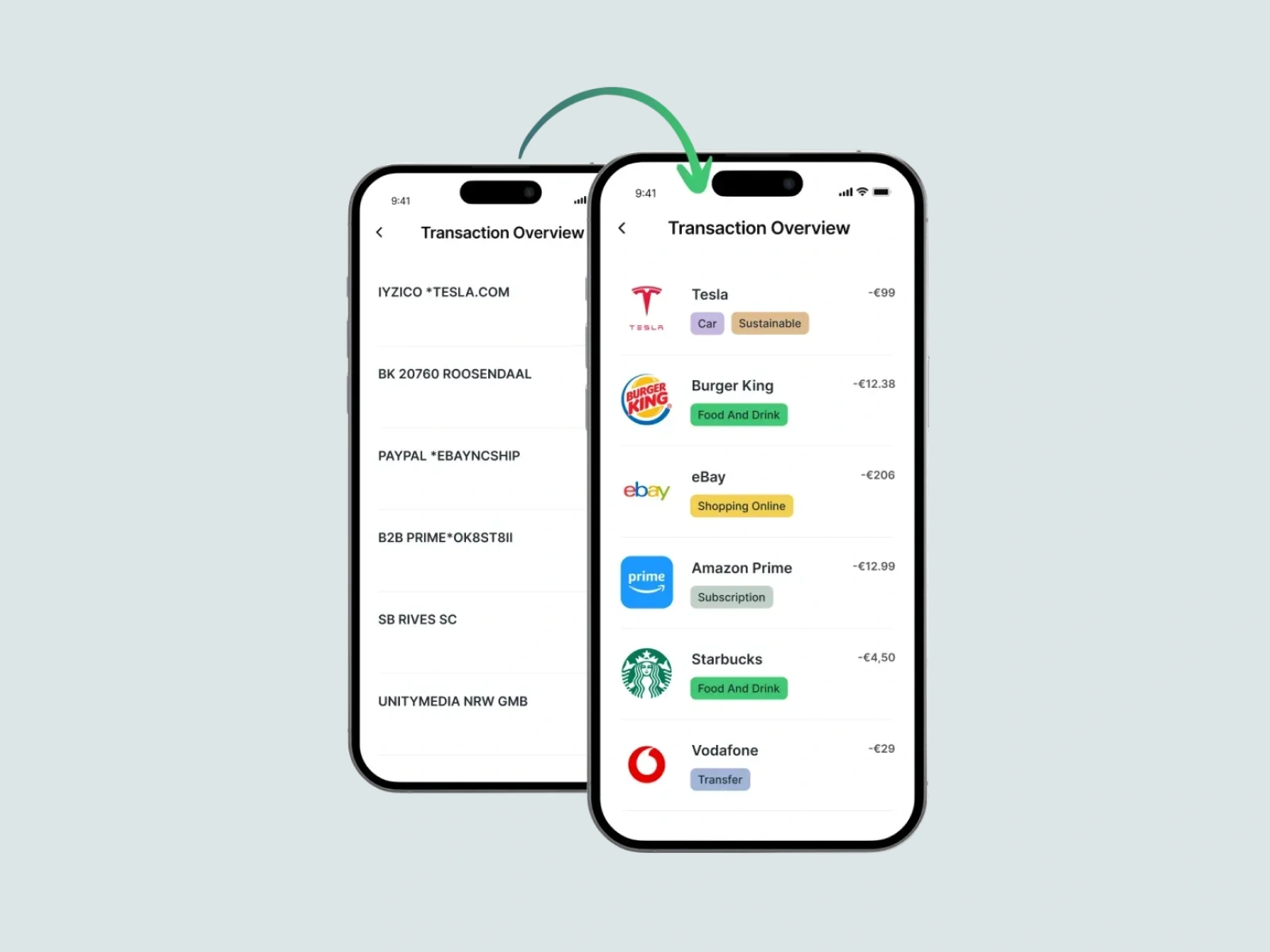
What a product actually needs from a transaction is:
- A clean, consistent merchant name - the brand name the user recognises, not an acquirer's internal reference string
- A high-resolution logo - ready to display in both circular and square formats in a UI
- A verified category - not the MCC, but a curated category (e.g. "Groceries", "Fashion", "Transport") with additional tags for finer granularity
- Retailer location data - street address, GPS coordinates, and ideally a Google Places ID that can be linked to a map
This is the gap between what payments deliver and what digital banking products require. Bridging that gap is what transaction data enrichment is designed to do.
How Tapix works
Tapix is a REST API ecosystem built specifically to perform this enrichment. It takes raw payment data - card transactions, bank transfers, or open banking data - as input, and returns structured, enriched information about the merchant and shop where the payment occurred.
The data model Tapix uses reflects the real-world hierarchy of the payments world:
- A merchant is the brand owner - Tesco, Shell, Amazon, or a local café. Merchants own one or more shops.
- A shop is a specific physical or online location - a particular Tesco branch, for instance. Each shop has an address, GPS coordinates, a website URL, a Google Places ID, and a category.
- A POS terminal or payment gateway is the specific acceptance point within a shop, identified by a POS ID or payment gateway reference.
When a bank sends Tapix a raw transaction (including whatever combination of posId, merchantId, descriptor, city, and country it has available), Tapix resolves it to a shop.uid. That shop identifier can then be used to retrieve the full set of enrichment data: the merchant's name and logo, the shop's address, its GPS location, its Google Places ID, whether it is a physical or online shop, and both a primary category and detailed tags drawn from a taxonomy of over 25 categories and 350 tags.
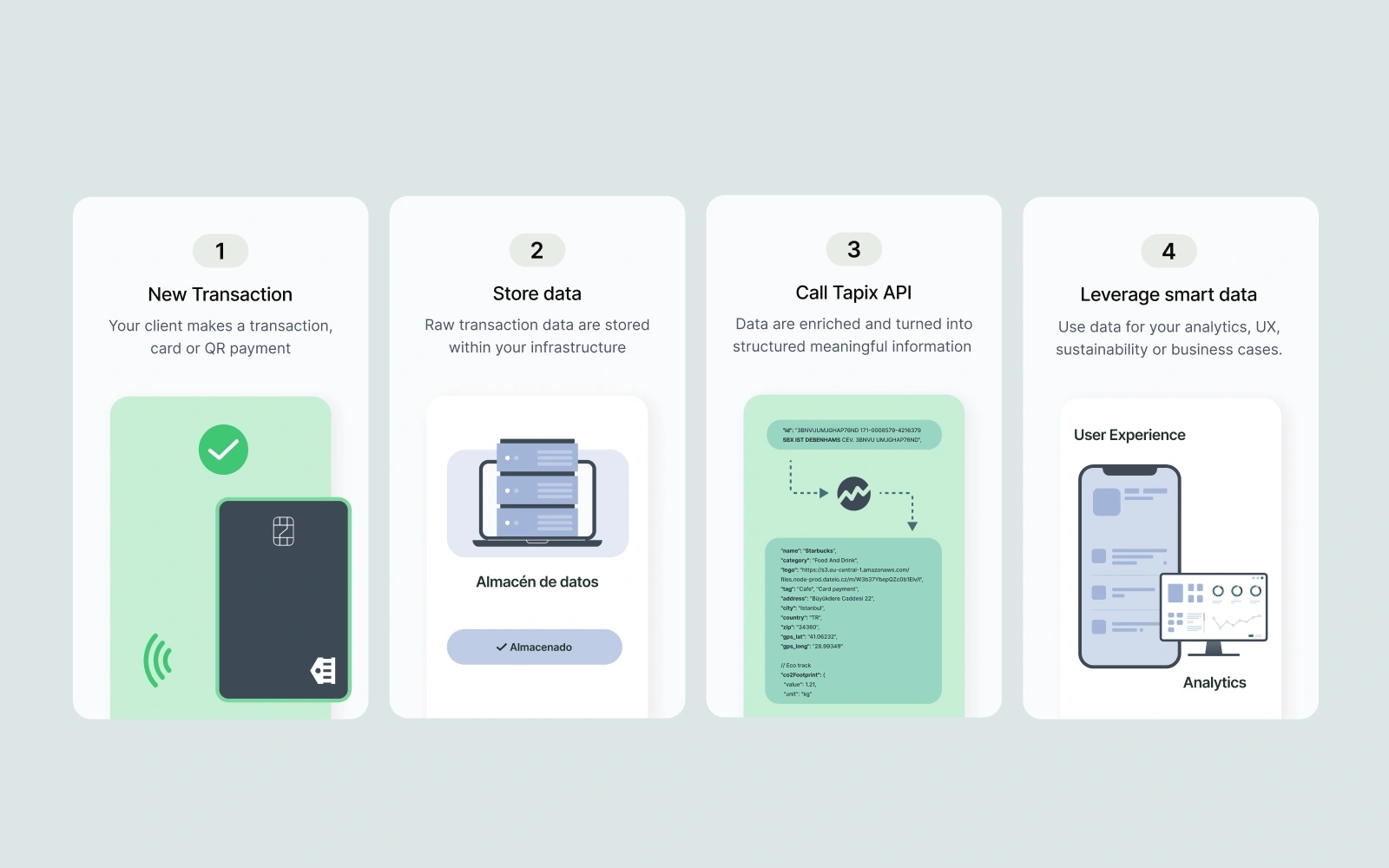
Even when only partial data is available - for example, just a posId and merchantId - Tapix will attempt to resolve the shop, returning a shop.uid if a match is found or an unsolved handle that will be resolved as Tapix's coverage expands.
So, what are the next steps? Tapix supports three enrichment paths depending on your data source: card transactions via Visa or Mastercard, bank transfers across standards including SEPA, BACS/Faster Payments, and CERTIS, and open banking data accessed through PSD2 AISP licences. In all three cases, the output is the same - a consistent, structured identity for every payment, ready to be displayed, categorised, and analysed.
